
YouTube Playlist Length
Find the YouTube Playlist Length and YouTube Music Playlist Length in a single click. Get a fast response, simple & free to use.
Enter a playlist URL above to see real statistics
Supported URL Formats
Our parser is designed to handle multiple link types automatically. You can paste any of the following formats directly into the calculators:
YouTube Playlist
Standard video playlist URLs from YouTube.
Video in Playlist
A YouTube video link that includes a playlist ID parameter.
YTP Length Features
The core functionality of the YTP Length tool is to find the YouTube Playlist Length, but we don't stop there. Apart from finding the YouTube Playlist Length, we offer a wide variety of advanced features like different playback speeds, average video duration in the playlist, sorting YouTube playlists, and other video stats.
Find any YouTube Playlist Length
Calculate the length of any YouTube playlist accurately. Along with the playlist length, get the average duration of a video in the YouTube playlist.
Simple, Fast & Free
YTP Length is very simple to use, fast to get results & free forever. No sign-up needed and no daily limit. Unlimited playlists every day.
Different Playback Speeds
Our YTP Length tool gives the YouTube Playlist Length for different playback speeds like 1x, 1.25x, 1.5x, 1.75x & 2x.
Sort YouTube Playlists
YTP Length sorts your playlists in different orders like Latest, Oldest, Most Liked, Most Viewed, Shortest & Longest in a single click.
Analyze Video Details
You get the stats (like Views, Comments & Likes) for all the videos in the playlists. You can also view the videos directly from YTP Length.
Find the Length for a Specific Range
You can specify the Start & End video numbers and get the Playlist Length calculated for that specific range of videos.
Search Playlist Videos
Instantly filter videos in the playlist by their title using our real-time search functionality. The statistics update dynamically as you type.
Study Session Planner
Plan your learning schedule by estimating completion days. You can set daily study hours or a target number of videos to watch per day.
Quick YouTube Playlist Links
Need to grab your playlist URL? Use these handy shortcuts to directly open your library, saved items, or subscription feeds. Click to view the playlist instantly!
Watch Later
Your saved videos to watch next
Liked Videos
Every video you have thumbs-up'd
Liked Music
Your liked songs and tracks
My Playlists
Browse all your custom lists
Music Library
Manage your music library and uploads
My Subscriptions
Latest videos from subscribed channels
How to Calculate YouTube Playlist Length for Free
Calculating the length of a YouTube playlist with our free tool is simple and straightforward. In just a few clicks, you can do much more. However, if you'd like a step-by-step guide, follow the instructions below to learn how to use the tool.
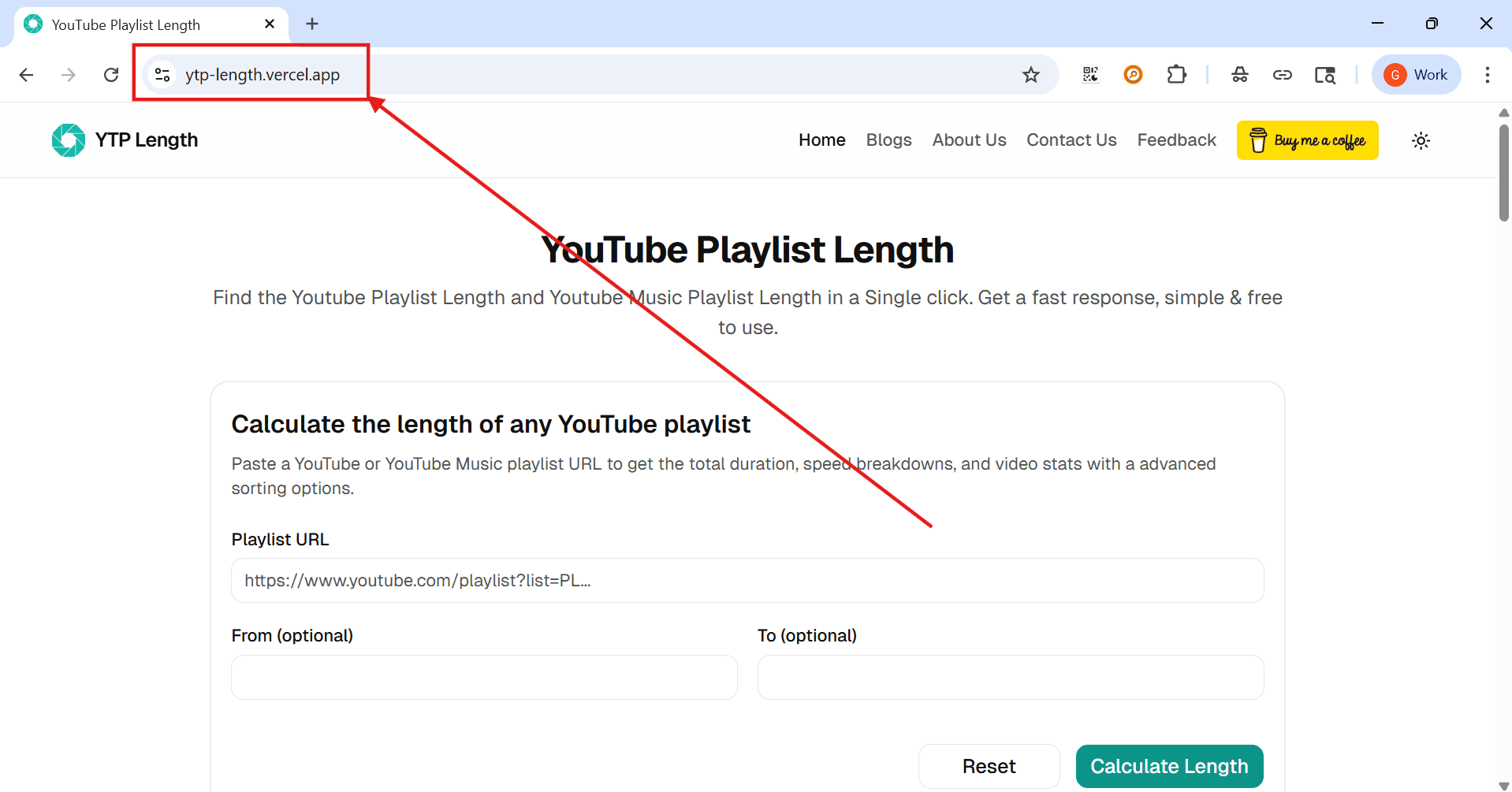
Step 1: Visit ytp-length.vercel.app in your browser to access the free YouTube playlist length calculator.
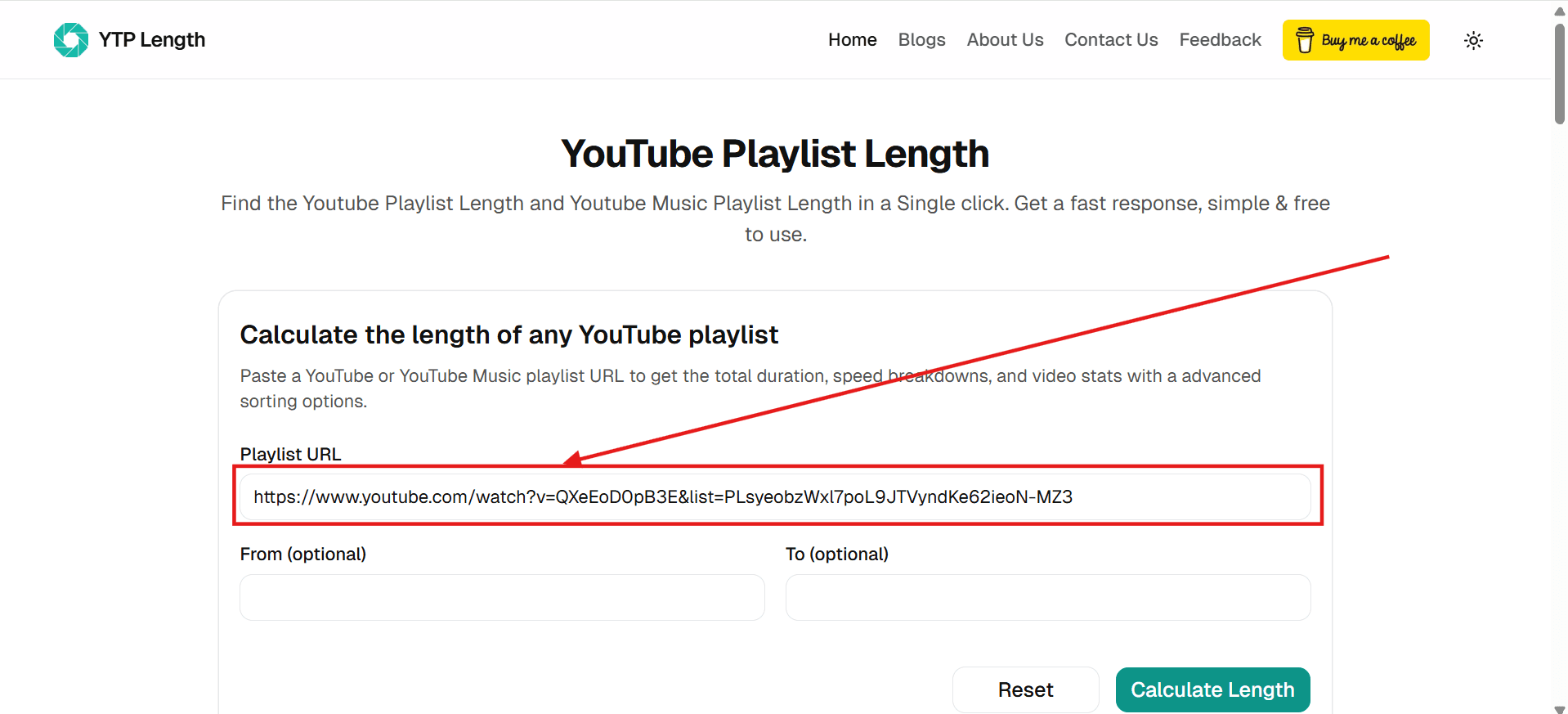
Step 2: Paste your YouTube or YouTube Music playlist URL. Make sure the playlist is public or unlisted. If you have a private playlist, temporarily make it public or unlisted.
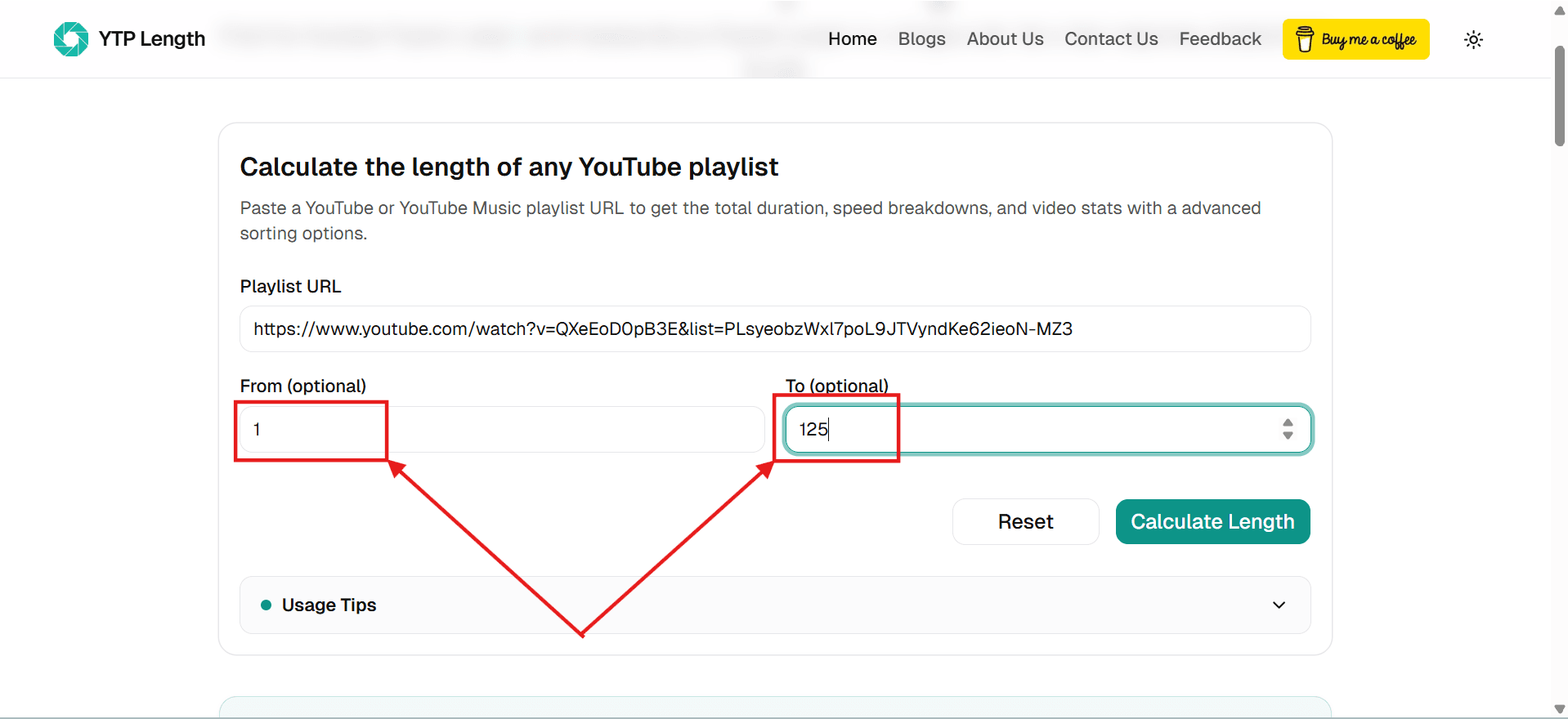
Step 3: Enter specific 'From' and 'To' video numbers if you only want to calculate a certain range. However, this is optional. You can leave it empty to calculate the entire playlist.
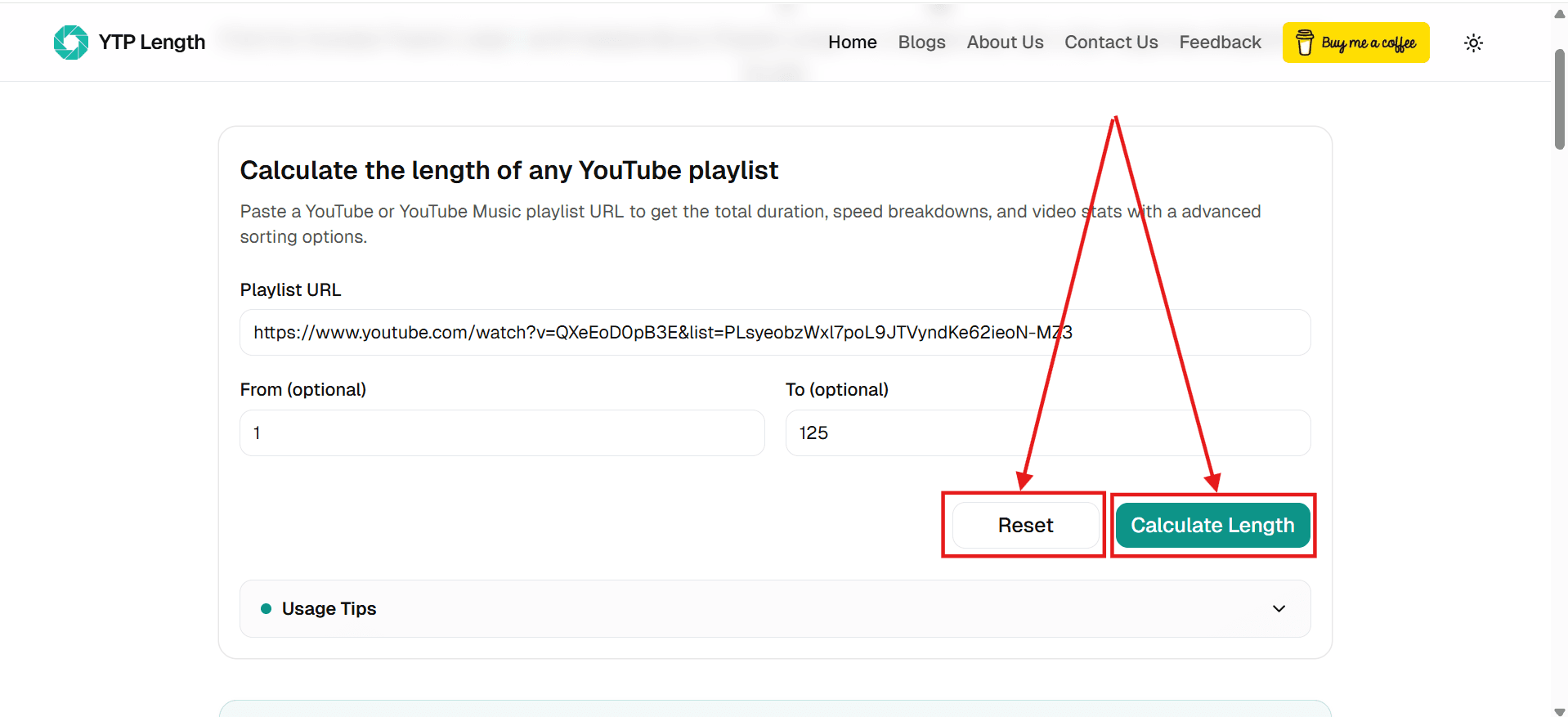
Step 4: Click the 'Calculate Length' button to find the YouTube Playlist Length or click 'Reset' to clear all fields and start over.
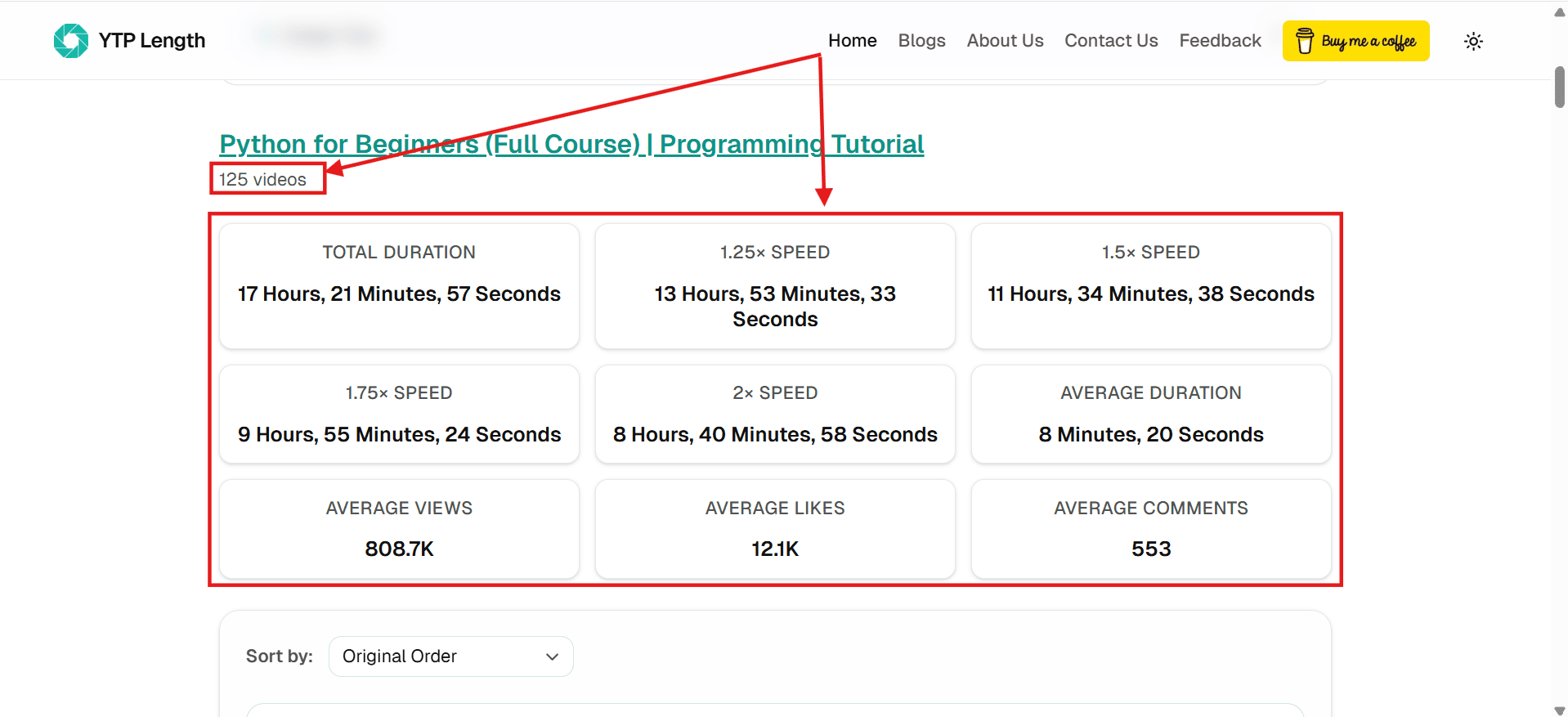
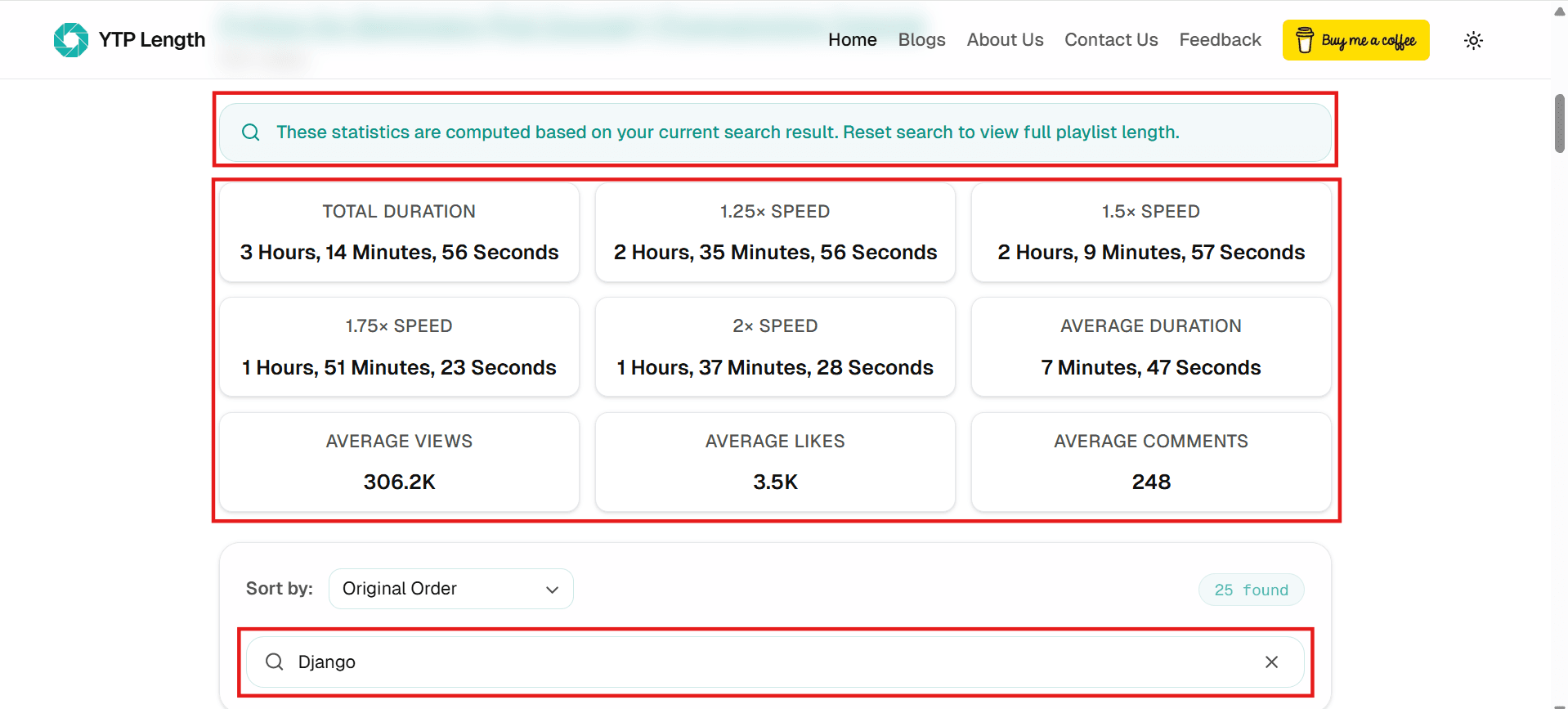
Step 5: You can find the total duration of the playlist in hours, minutes, and seconds. You can also find the total duration of the playlist in 1.25×, 1.5×, 1.75×, and 2× speeds. Additionally, you can find the average video length, average views, average likes, and average comments.
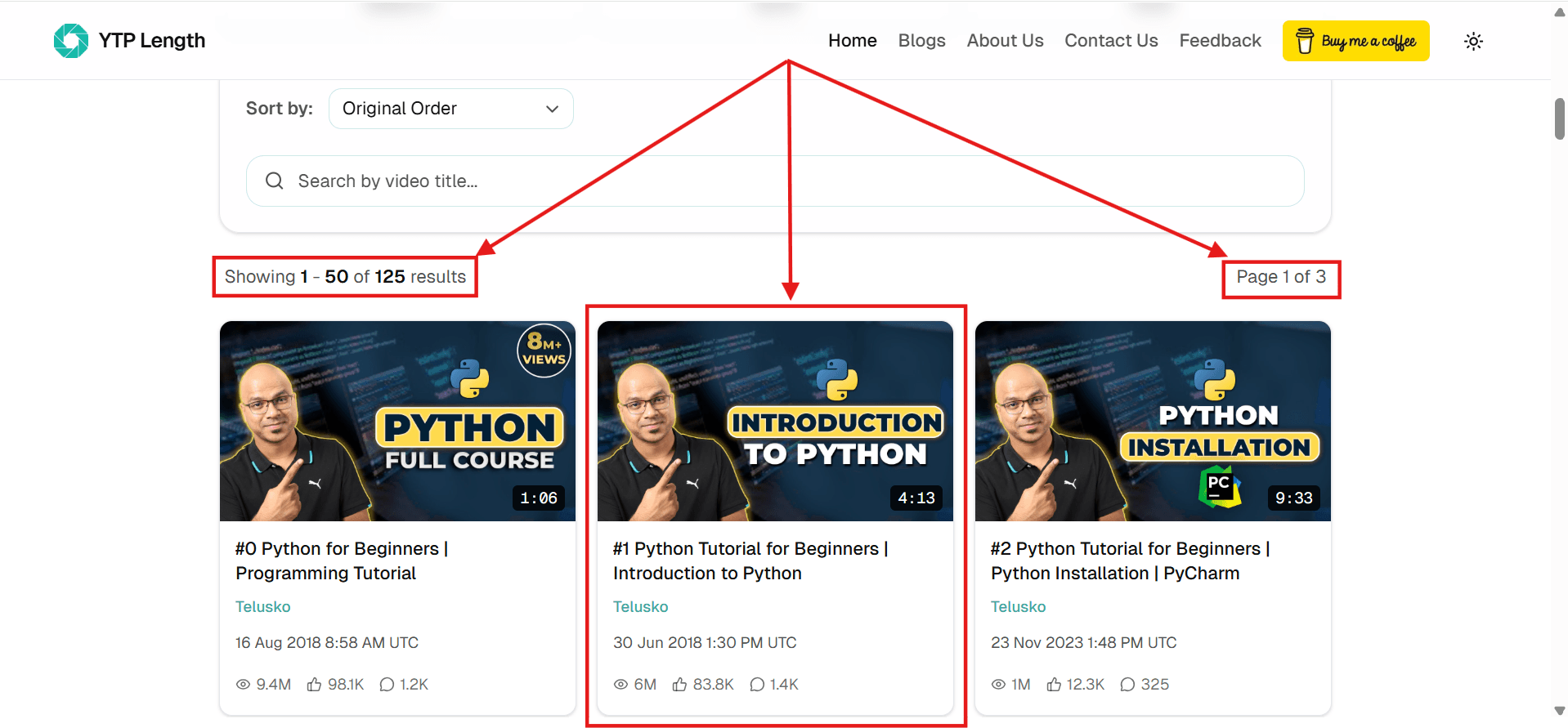
Step 6: Scroll down to see the individual video stats, including Thumbnail, Title, Channel, Upload Date, Duration, Views, Likes, and Comments.
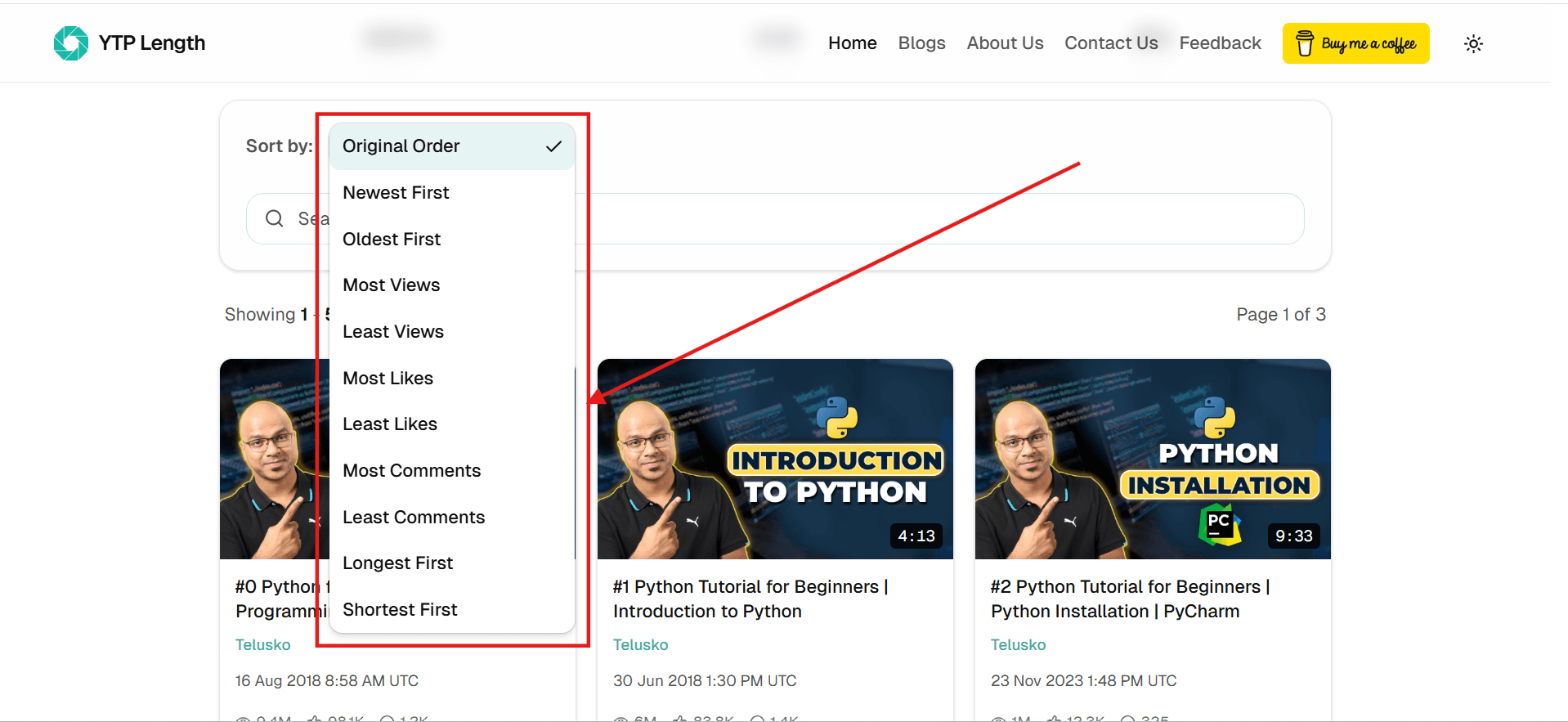
Step 7: Use the sort dropdown to sort the YouTube Playlist or YouTube Music Playlist by views, likes, comments, date, duration, or original order.
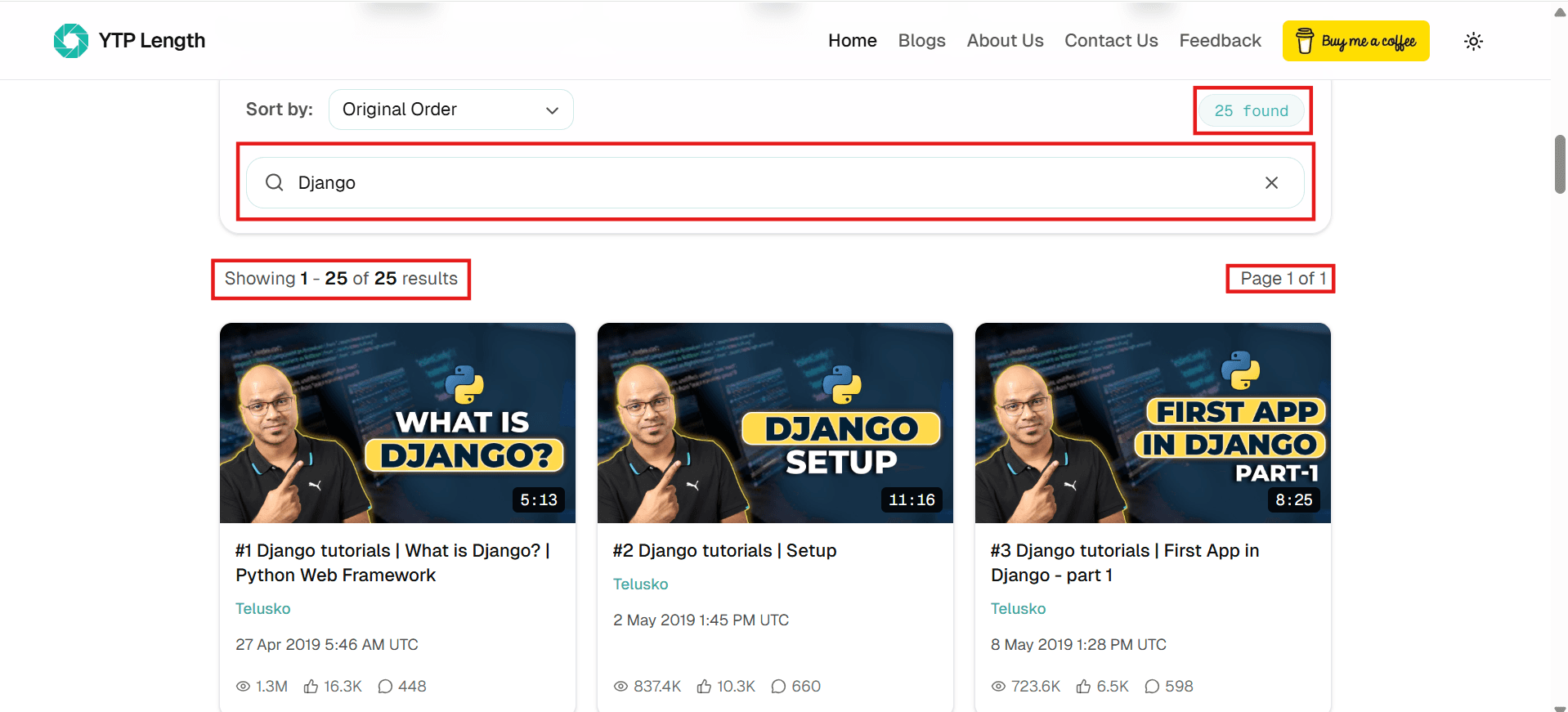
Step 8: Search for specific videos by title; the videos and statistics will dynamically update to match your search results.
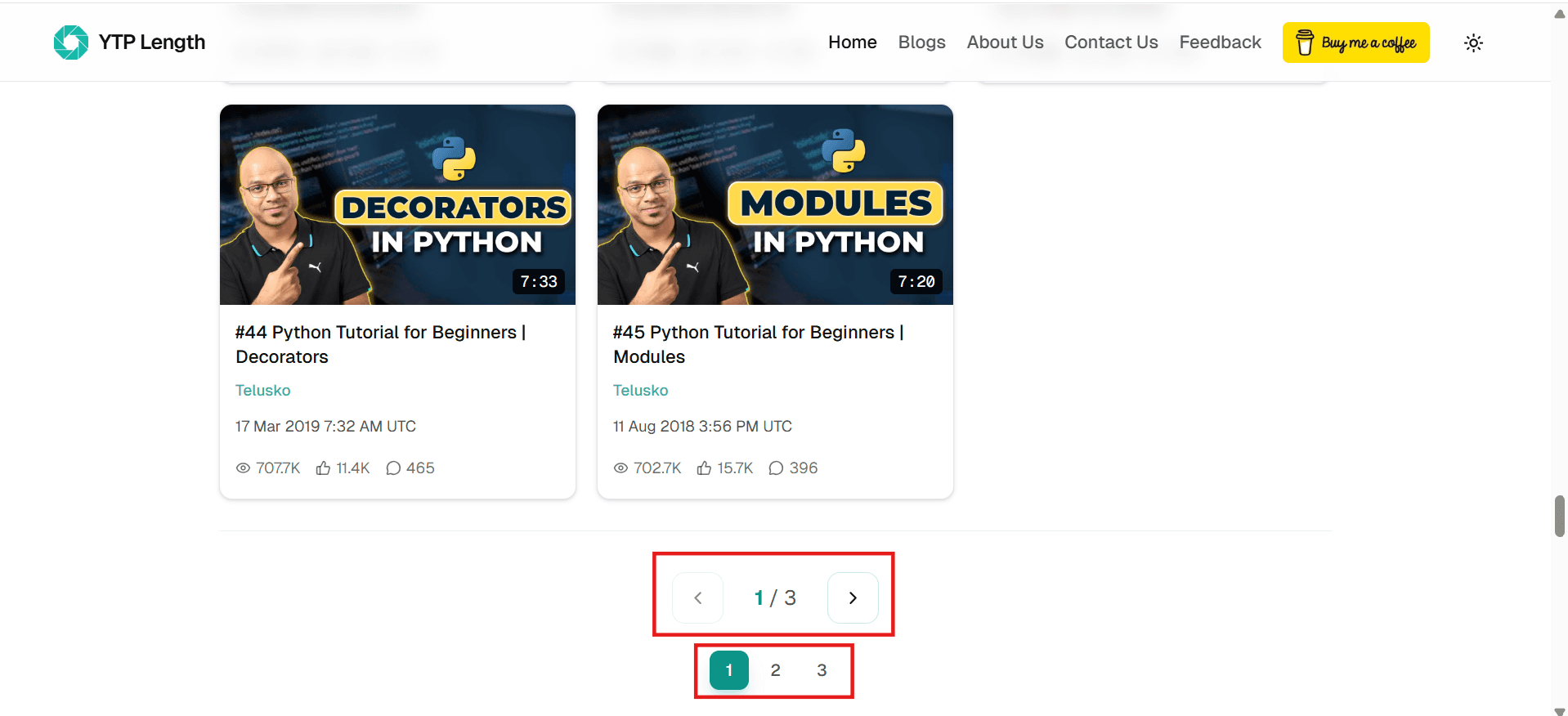
Step 9: If your playlist is large, you can navigate and view all the videos & their stats by using the 'Next' & 'Previous' buttons at the bottom.
If you're having trouble with any step or the calculator isn't working as expected, make sure your playlist URL is correct and the playlist is publicly accessible. Hidden or private videos in playlists are automatically excluded from calculations.
You can reach out to us by using this link, making sure to fill in the Playlist URL.
Frequently Asked Questions
YTP Length vs. YouTube Native
Discover how YTP Length adds powerful features that are completely missing from the standard YouTube experience, helping you analyze and plan your viewing time.
| Feature | YTP Length | YouTube Native |
|---|---|---|
| Calculate Total Playlist Duration | ||
| Calculations at Different Playback Speeds | ||
| Calculate Duration for Specific Range | ||
| Advanced Playlist Sorting | ||
| Detailed Video Engagement Statistics | ||
| Dynamic Real-time Title Search | ||
| Daily Study Session Planner |
Disclaimer: YTP Length is an independent web application and is not officially affiliated with, endorsed, or sponsored by YouTube or Google. We fetch publicly available data through the official YouTube Data API.
Why Should I Know the Length of a YouTube Playlist?
By default, YouTube does not provide a native feature to sum up the running times of playlist videos. Knowing the combined duration of a YouTube playlist is critical for effective time management, whether you are planning a self-paced study course, scheduling online tutorials, or structuring workout playlists.
For self-directed learners and developers, knowing the total duration allows you to divide the course curriculum into daily workloads, align videos with time-blocking techniques like Pomodoro, and estimate exactly how many days or weeks are needed to master a new skill. To understand how playlist architectures and quotas function behind the scenes, check out our guide where we have debunked 16 common playlist misconceptions.
Plan Your Learning
When you are learning something from a YouTube playlist, knowing the total duration helps you break the course down into manageable chunks without feeling overwhelmed.
Watch Web Series Smartly
Watching an anime series or any web series on a YouTube playlist? Find out exactly how many hours of popcorn and snacks you're looking at before you even hit play.
Perfect for Workout Routines
If you have a playlist of fitness or yoga videos, knowing the combined length guarantees your workout fits perfectly into your morning schedule without making you late for work.
Speed Up and Save Time
Not everyone watches at normal speed. By seeing exactly how much time you save at 1.5x or 2x speed, you can improve study sessions and plan your day.
Our Latest Blogs
Stay updated with our latest articles, insights, and study tips to get the most out of your YouTube playlists.

How to Loop a Specific Part of a YouTube Video (Desktop & Mobile Guide)
A simple and easy guide to looping specific sections of any YouTube or YouTube Music video on mobile and desktop devices.
Read Article
YouTube & YouTube Music Playlist Misconceptions Debunked
A behind-the-scenes look at the technical quirks, API limits, and design realities of YouTube and YouTube Music playlists, uncovered while building YTP Length.
Read Article
The Secret Language of YouTube URLs: Decoding Playlist IDs
Have you ever wondered what the random string of characters at the end of a YouTube URL means? Here is a simple guide to understanding and decoding YouTube playlist IDs.
Read ArticleLooking for more guides and tips? Check out our complete list of articles.
View All Blogs