How I Use YouTube Playlists to Learn Fast (My 3 Secret Steps)
I have watched many YouTube tutorials in my career. Over time, I realized that just watching videos randomly is not efficient. So, I made a simple rule and follow this to learn anything faster. I divide any YouTube playlist into three parts to learn faster. I used this for software engineering, but actually, you can use this for learning anything.
Here is how I approach it.
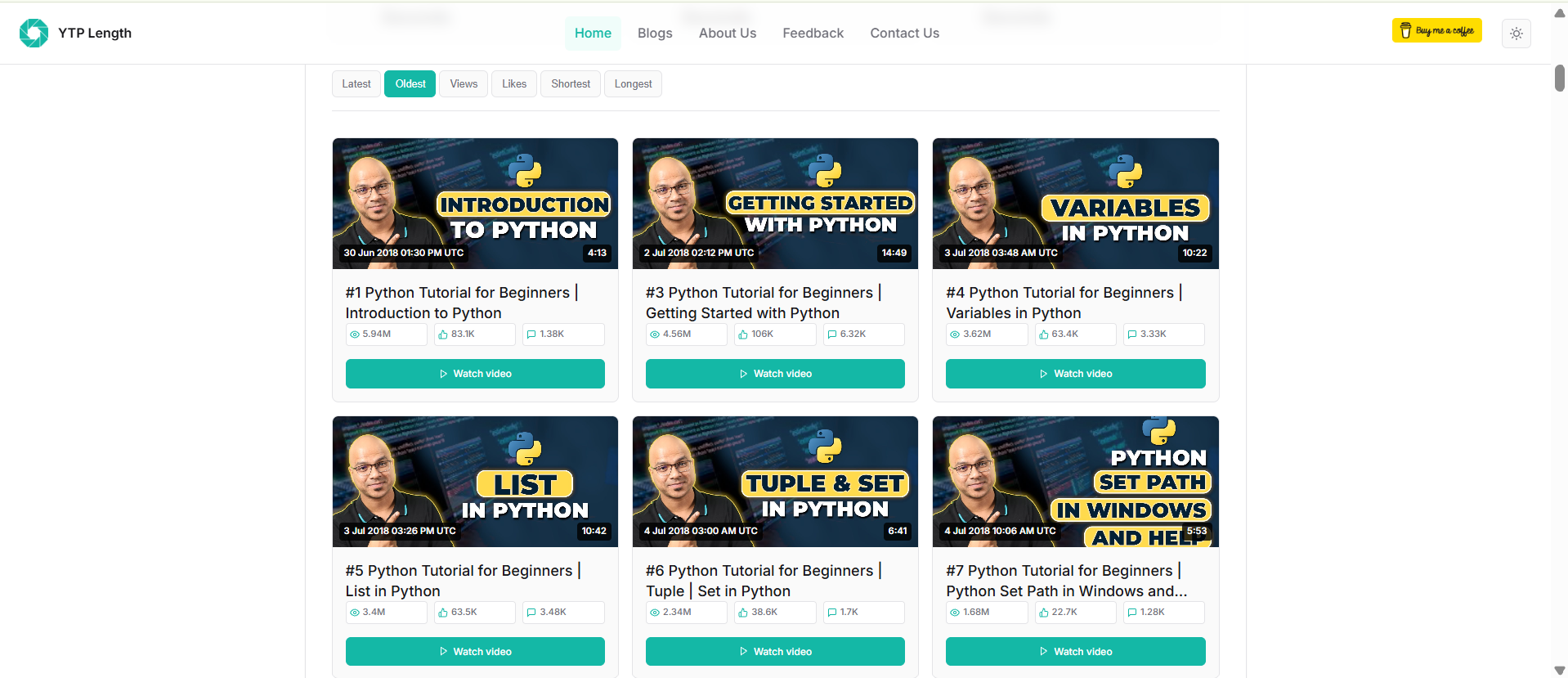
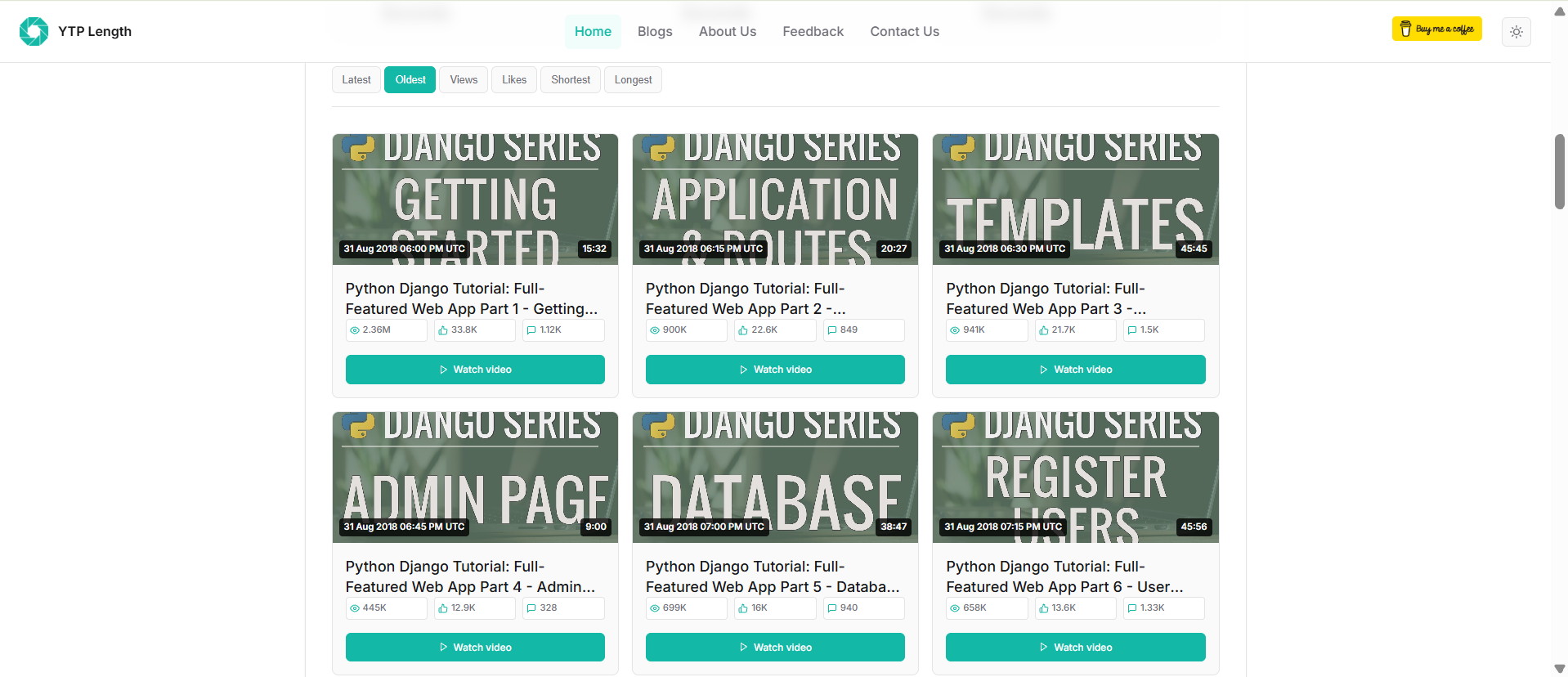
1. For Absolute Beginners: Trust the Order
If you are a absolute beginner to a topic like a new language or framework, don't overthink it. Just watch the videos in the sequence the creator has made.
Why? Because the creator usually puts the videos in a proper flow so that one video helps you to understand the next one. It makes total sense to watch them one by one because you don't know anything about the topic.
- My Experience: When I was learning Python first time, I knew nothing. I followed the Python for Beginners playlist from "Telusko" channel by Navin Reddy. Its very good playlist for beginners. He even put numbers on his videos, so I just followed that order.
- Did the same thing when I learned Django. I used Corey Schafer’s Django Tutorials and just watched from video 1 to the end because he ordered them best for learning.
2. For Intermediates: Find the "Most Liked" Videos
Once you have understood the basics and reached an intermediate level, you don't need to watch everything. Now, you should find the most important concepts.
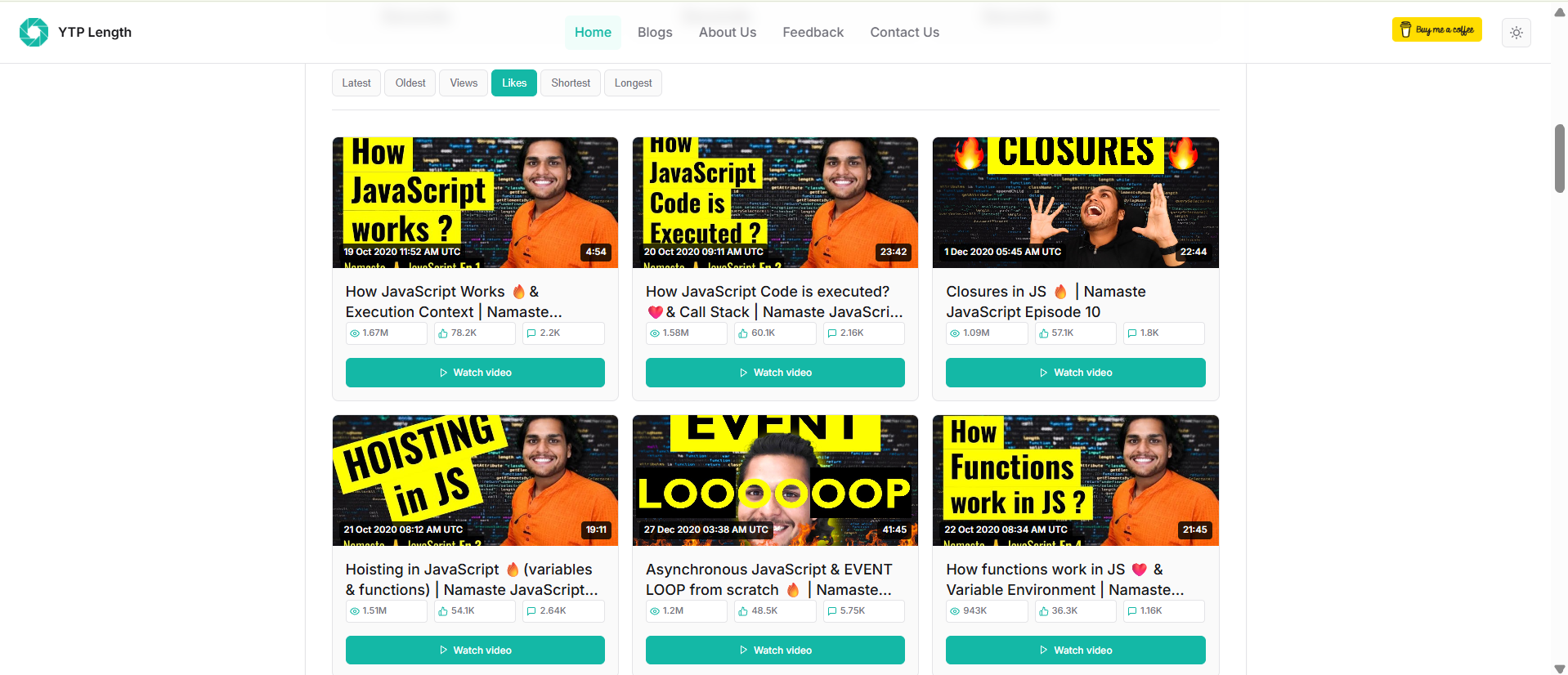
I suggest sorting the playlist by "Most Liked" or "Most Viewed".
People who already know the basics usually search for specific, popular topics. That is why these videos get more views and likes. These are usually the most important topics or popular interview questions.
- Example: When I was looking at the Namaste JavaScript playlist by Akshay Saini, I saw that the top videos were about "Hoisting," "Closures," and "Event Loop", etc. These are the exact topics asked in interviews, so this method really works.
3. For Deep Knowledge: Watch the Longest Videos
This is for very specific use. When you know the basics and want to go very deep into a concept, look for the "Longest" videos in the playlist.
Usually, people skip long videos. But these are hidden gems. Creators make long videos because they want to explain every small detail of a topic. If you want to master something properly, these long videos are where the real knowledge is hiding.
How I Actually Sort the Videos?
There is no in-built feature to sort a playlist by "Most Liked" or "Longest" in YouTube. So, I use the tool I built myself (ytp-length). It helps me calculate the total duration and, more importantly, it lets me sort the playlist by Oldest, Newest, Most Liked, Most Viewed, and Longest. It makes my learning plan much more easier.
Nevertheless, use any online tool to sort the YouTube playlist by "Most Liked" or "Longest". This blog is not about choosing the YouTube playlist sorter, choose any tool that works for you. I hope this method helps you to learn faster.